AusAlert
UPDATED 11 June 2026
Resources are now available for survivors and agencies who support them.
Important Information For Survivors
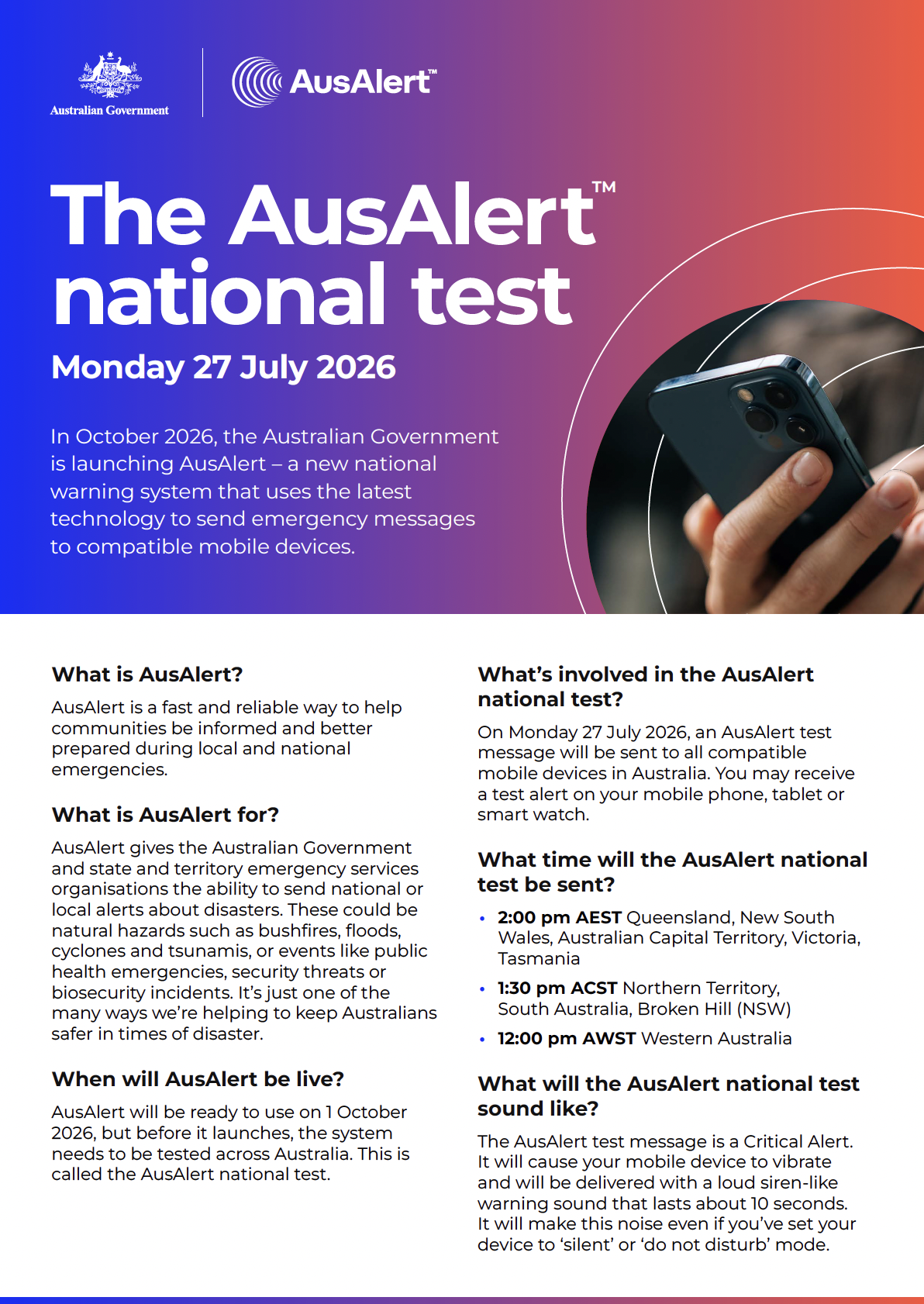
Did you know there will be an alert test on all mobile devices across Australia on 27 July 2pm AEST?
The Australian Government is launching AusAlert – a new national warning system that sends emergency messages to compatible mobile devices including:
Alerts can also be received on children’s safety watches and Apple CarPlay devices.
It is designed to help keep Australians informed so they can act quickly during local and national disasters. These could be natural hazards like bushfires, floods and cyclones, as well as security threats or public health emergencies.
When will AusAlert be live?
AusAlert will be ready to use on 1 October 2026, but before it launches, the system needs to be tested across Australia.
There will be a number of community tests between 10-21 June 2026 and one national test in July 2026.
Each State and Territory is working with AusAlert to determine if community testing will use a Critical or Priority Alert.
Staying Safe With AusAlert
AusAlert may increase risk for people experiencing violence, especially if they live with someone who uses violence. Alerts may expose safety devices.
There are two types of AusAlerts.
Important: you can still receive Critical AusAlerts if your phone is on ‘silent’ or ‘do not disturb’.
If you are concerned about your immediate safety, call 000. If you have concerns for your safety and would like further advice or support, you can call 1800RESPECT (1800 737 732). For Aboriginal or Torres Strait Islander services, call 13YARN (13 92 76).
To access local support, visit Australia's National Research Organisation for Women's Safety (ANROWS).
Alert Types
AusAlert has 2 types of alerts, depending on how severe the emergency is.
Critical Alert
Critical Alerts are used for the most serious emergencies. You can't turn them off. Your device will alert you even if it’s on ‘silent’ or ‘do not disturb’.
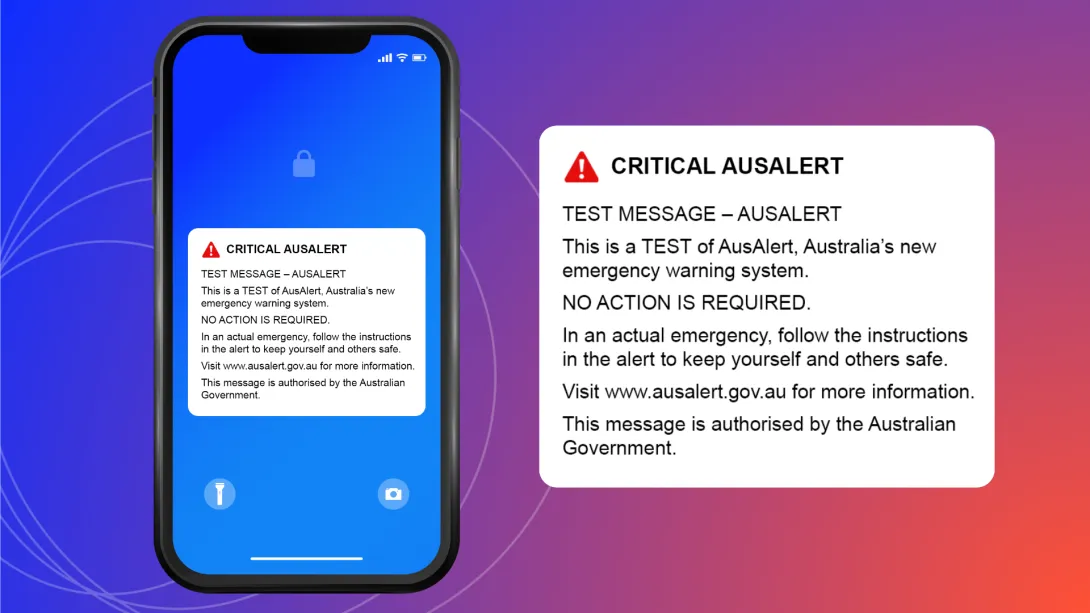
You can’t stop your device from receiving Critical Alerts.
The only way to not receive Critical Alerts is to turn your device off or put it in aeroplane mode.
Priority Alert
Priority Alerts are used when there is an increased risk and conditions are changing. They can be turned off.
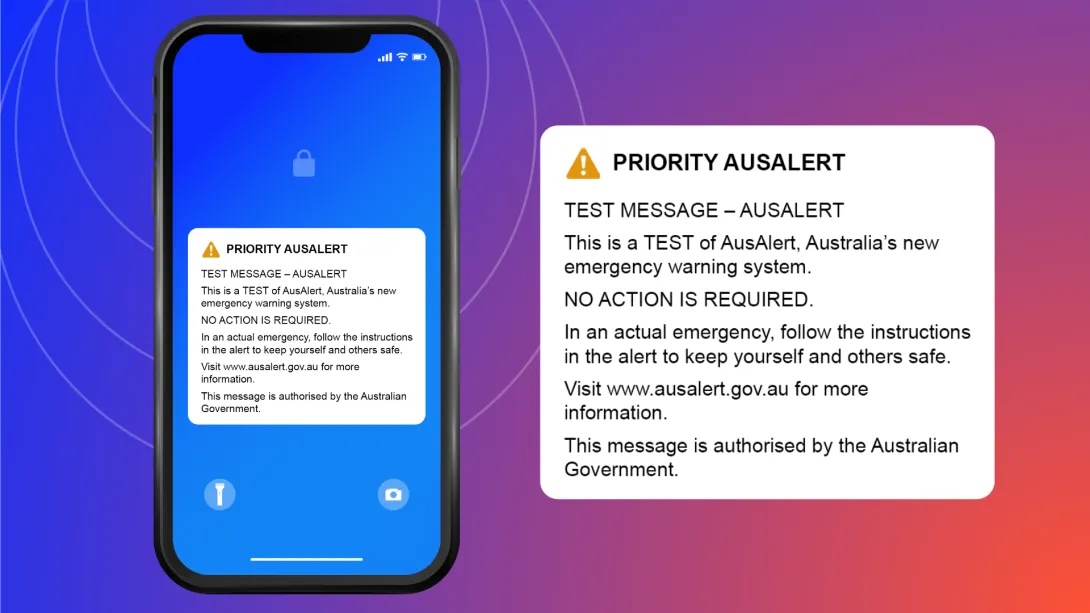
If receiving a Priority Alert might disrupt you or cause you or a family member to feel unsafe, you can choose to opt out.
Note: If you turn off Priority Alerts on one device, you can still receive alerts on another device. Make sure you action this across all chosen devices.
If you still receive alerts after turning them off, contact your device maker or mobile phone provider for help.
Turning Off Priority Alerts
You can’t stop your device from receiving 'Critical Alerts'.
The only way to not receive Critical Alerts is to turn your device off or put it in aeroplane mode during the emergency. We don't recommend this, as AusAlerts contain important information and should be turned on to help keep you safe.
You can stop your device from receiving 'Priority Alerts'.
If receiving a Priority Alert might disrupt you or cause you or a family member to feel unsafe, you can turn off Priority Alerts in your mobile device settings.
Note: If you turn off Priority Alerts on one device, you can still receive alerts on another device. Make sure you action this across all chosen devices.
If you still receive alerts after turning them off, contact your device maker or mobile phone provider for help.
Apple (iOS) devices
To turn off Priority Alert messages on iPhones and Apple Watches:
Android devices
To turn off Priority Alert messages on Android phones, tablets and smartwatches:
Other devices
On some devices, Priority Alerts may be called:
If you’re not sure how to find your alert settings:
Community Testing Sites and Dates
Community tests will take place in selected cities, towns and remote areas across Australia between 10-21 June 2026.
The Community tests may be Priority Alerts (can be silenced by silent or do not disturb).
If you are concerned about receiving a Priority Alert, follow these steps:
If you will be in a test location, or within 15 kilometres of one, at the test time:
(if you do need to turn your phone on during this window for an emergency be prepared that the siren may sound).
Important: you may still receive a community test alert if your device is on ‘silent’ or ‘do not disturb’.
National Testing
A national test of AusAlert will happen at 2 pm AEST Monday 27 July 2026. During the test, all compatible mobile devices in Australia will receive an alert at the same time.
The national test will be a Critical Alert.
The alert may stay active for up to an hour.
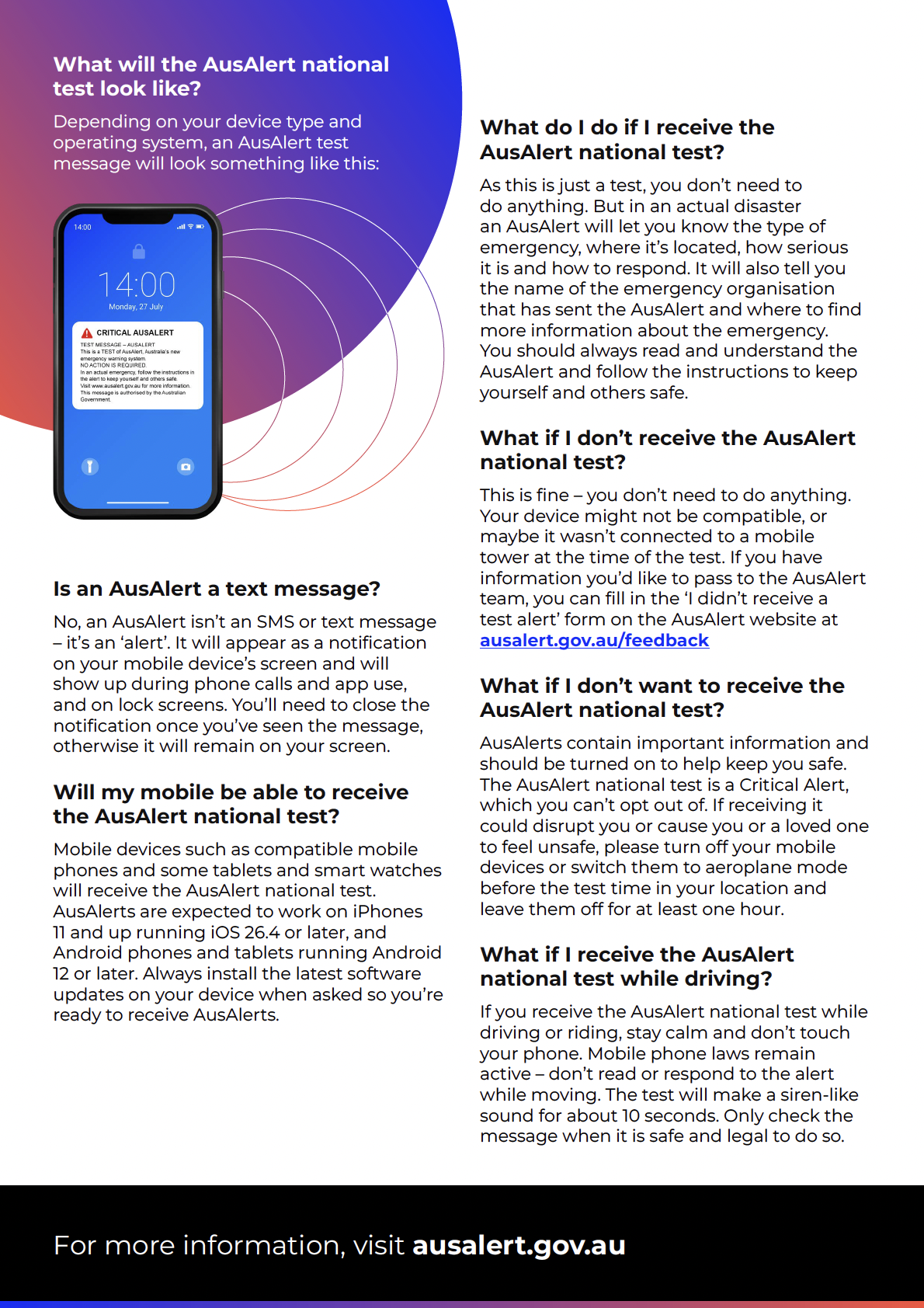
If you are concerned about receiving a Critical Alert, follow these steps:
(if you do need to turn your phone on during this window for an emergency be prepared that the siren may sound).
Important: you will still receive the AusAlert national test if your device is on ‘silent’ or ‘do not disturb’.
National test schedule
Community Sector Resources
AusAlert may increase risk for people experiencing violence, especially if they live with someone who uses violence. Alerts may expose safety devices.
It is essential that you, your staff and your clients and other survivors are aware of AusAlert, so that everyone has all the information they need to confidently plan to keep themselves safe during the community-based trials, the national test and once AusAlert is live. Please start informing your staff, clients and other survivors now.
Download the Staying Safe with AusAlert Stakeholder Kit, featuring guidance and resources to help domestic and family violence support organisations and survivors share information about AusAlert and the national test.
Please use the materials in this pack to share information about AusAlert with your community, via the channels and methods you know will reach them best.
Encourage survivors across Australia to prepare for AusAlert testing and the AusAlert launch by visiting ausalert.gov.au
The kit includes download links to:
A3 Posters - print and display them in your community, or download to share on your social media channels, via messaging apps and email, or across other digital channels.
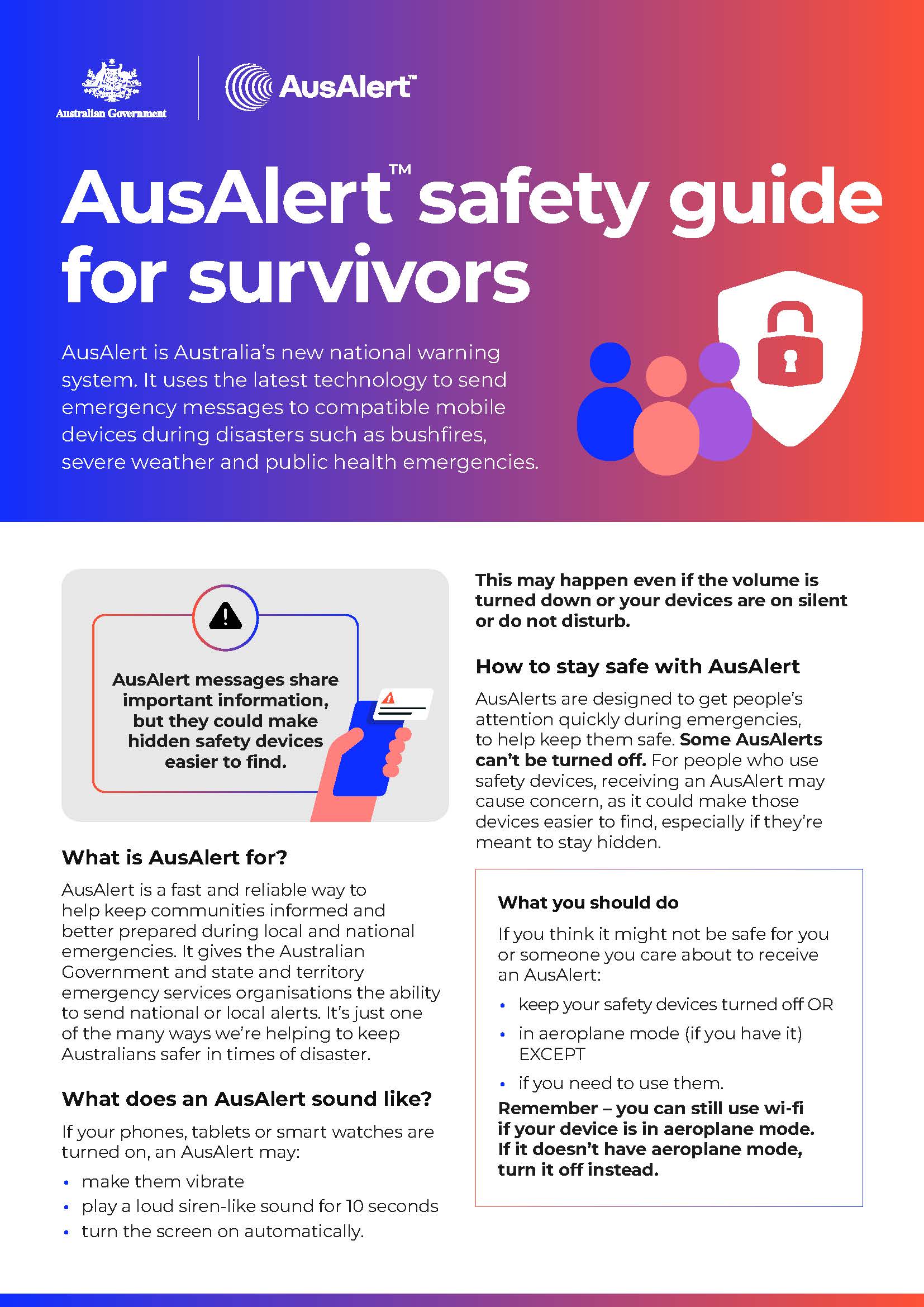
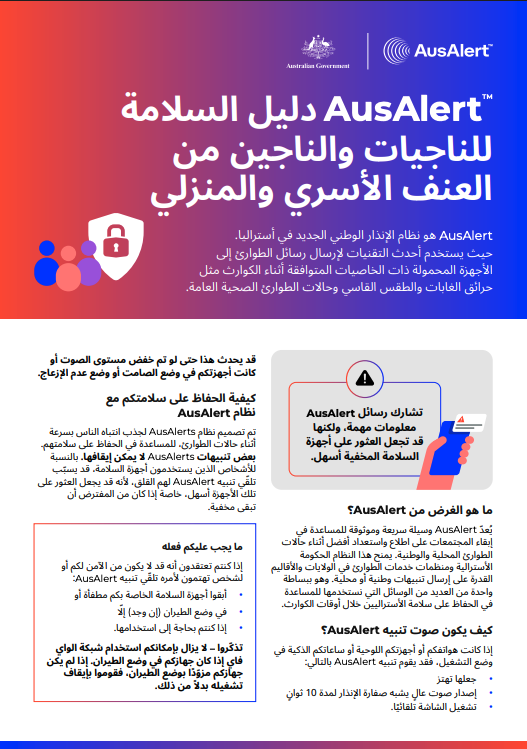
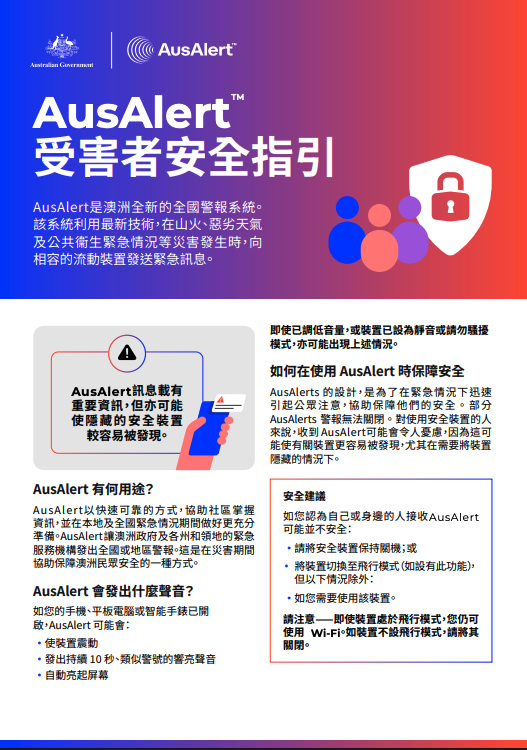
A4 Factsheets - print and hand them out, or download to share them via email, social media and other digital channels. The AusAlert Safety Guide for Survivors is also available in 19 languages. These language versions can be downloaded at ausalert.gov.au.
Social media tiles - share on your social media channels, via messaging apps and email, or across other digital channels. Each social media tile, is accompanied with suggested social media post caption.
Animation - share via email, social media and other digital channels. Additional versions of the animation can be downloaded at ausalert.gov.au.
Wesnet & NEMA - AusAlert Webinar for DFV Services
Wesnet hostined a webinar with the National Emergency Management Agency (NEMA) on AusAlert on 2 June 2026 11 am AEST. The webinar provides additional context around the stakeholder resources and broader public awareness campaign, and created space for Members and services to raise questions, concerns and implementation issues directly with NEMA and Wesnet.
Please email our policy team at [email protected] if you have any questions.
Resources (Individual Assets)
When will AusAlert be live?
AusAlert will be ready to use on 1 October 2026, but before it launches, the system needs to be tested across Australia.
There will be a number of community tests between 10-21 June 2026 and one national test in July 2026.
Each State and Territory is working with AusAlert to determine if community testing will use a Critical or Priority Alert.
Alert Types
AusAlert has 2 types of alerts, depending on how severe the emergency is.
Critical Alert
Critical Alerts are used for the most serious emergencies. You can't turn them off. Your device will alert you even if it’s on ‘silent’ or ‘do not disturb’.
You can’t stop your device from receiving Critical Alerts.
The only way to not receive Critical Alerts is to turn your device off or put it in aeroplane mode.
Priority Alert
Priority Alerts are used when there is an increased risk and conditions are changing. They can be turned off.
If receiving a Priority Alert might disrupt you or cause you or a family member to feel unsafe, you can choose to opt out.
Note: If you turn off Priority Alerts on one device, you can still receive alerts on another device. Make sure you action this across all chosen devices.
If you still receive alerts after turning them off, contact your device maker or mobile phone provider for help.
Community Testing Sites and Dates
Community tests will take place in selected cities, towns and remote areas across Australia between 10-21 June 2026.
The Community tests will be Priority Alerts (can be silenced by silent or do not disturb).
If you are concerned about receiving a Priority Alert, follow these steps:
If you will be in a test location, or within 15 kilometres of one, at the test time:
(if you do need to turn your phone on during this window for an emergency be prepared that the siren may sound).
Important: you may still receive a community test alert if your device is on ‘silent’ or ‘do not disturb’.
Turning Off Priority Alerts
You can’t stop your device from receiving 'Critical Alerts'.
The only way to not receive Critical Alerts is to turn your device off or put it in aeroplane mode during the emergency. We don't recommend this, as AusAlerts contain important information and should be turned on to help keep you safe.
You can stop your device from receiving 'Priority Alerts'.
If receiving a Priority Alert might disrupt you or cause you or a family member to feel unsafe, you can turn off Priority Alerts in your mobile device settings.
Note: If you turn off Priority Alerts on one device, you can still receive alerts on another device. Make sure you action this across all chosen devices.
If you still receive alerts after turning them off, contact your device maker or mobile phone provider for help.
Apple (iOS) devices
To turn off Priority Alert messages on iPhones and Apple Watches:
Android devices
To turn off Priority Alert messages on Android phones, tablets and smartwatches:
Other devices
On some devices, Priority Alerts may be called:
If you’re not sure how to find your alert settings:
National Testing
A national test of AusAlert will happen at 2 pm AEST Monday 27 July 2026. During the test, all compatible mobile devices in Australia will receive an alert at the same time.
The national test will be a Critical Alert.
The alert may stay active for up to an hour.
If you are concerned about receiving a Critical Alert, follow these steps:
(if you do need to turn your phone on during this window for an emergency be prepared that the siren may sound).
Important: you will still receive the AusAlert national test if your device is on ‘silent’ or ‘do not disturb’.
National test schedule
Community Test Sites
Community tests will take place in selected cities, towns and remote areas across Australia between 10-21 June 2026.
The Community tests may be Priority Alerts (can be silenced by silent or do not disturb).
If you are concerned about receiving a Priority Alert, follow these steps:
If you will be in a test location, or within 15 kilometres of one, at the test time:
(if you do need to turn your phone on during this window for an emergency be prepared that the siren may sound).
Important: you may still receive a community test alert if your device is on ‘silent’ or ‘do not disturb’.
Staying Safe With AusAlert
AusAlert may increase risk for people experiencing violence, especially if they live with someone who uses violence. Alerts may expose safety devices.
DFV specific resources have been developed by NEMA in consultation with Wesnet. Resource are available for download below.
There are two types of AusAlerts.
Important: you can still receive Critical AusAlerts if your phone is on ‘silent’ or ‘do not disturb’.
If you are concerned about your immediate safety, call 000. If you have concerns for your safety and would like further advice or support, you can call 1800RESPECT (1800 737 732). For Aboriginal or Torres Strait Islander services, call 13YARN (13 92 76).
To access local support, visit Australia's National Research Organisation for Women's Safety (ANROWS).
Resources
Fairbairn Business Park community test
Liverpool community test
Launceston community test
Geelong community test
Coastal townships community test
Port Lincoln community test
Tennant Creek community test
Goomalling community test
Queanbeyan community test
When will AusAlert be live?
AusAlert will be ready to use on 1 October 2026, but before it launches, the system needs to be tested across Australia.
There will be a number of community tests between 10-21 June 2026 and one national test in July 2026.
Each State and Territory is working with AusAlert to determine if community testing will use a Critical or Priority Alert.
Alert Types
AusAlert has 2 types of alerts, depending on how severe the emergency is.
Critical Alert
Critical Alerts are used for the most serious emergencies. You can't turn them off. Your device will alert you even if it’s on ‘silent’ or ‘do not disturb’.
You can’t stop your device from receiving Critical Alerts.
The only way to not receive Critical Alerts is to turn your device off or put it in aeroplane mode.
Priority Alert
Priority Alerts are used when there is an increased risk and conditions are changing. They can be turned off.
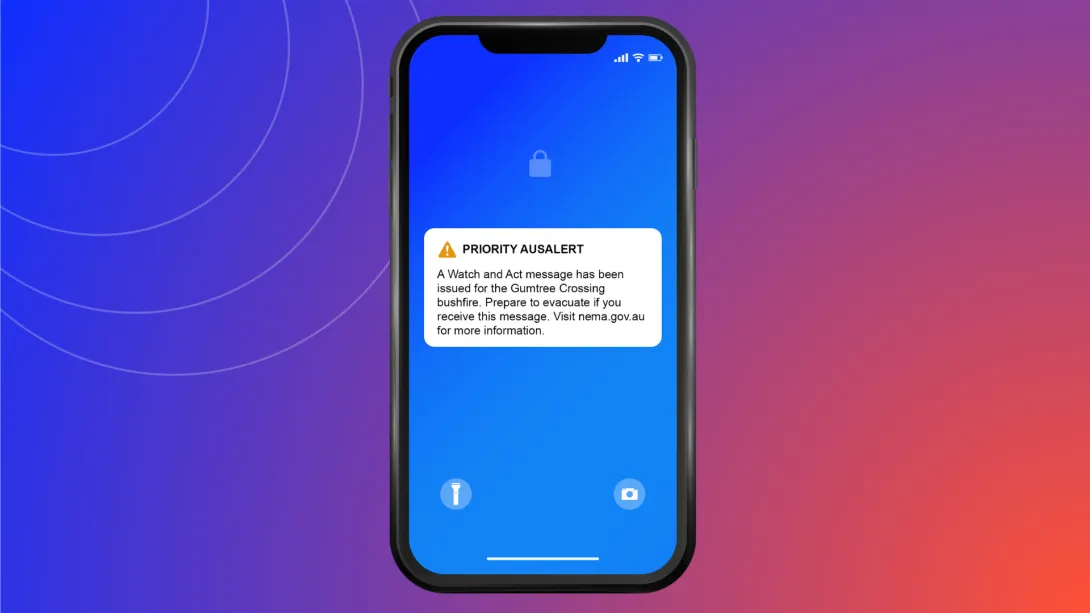
If receiving a Priority Alert might disrupt you or cause you or a family member to feel unsafe, you can choose to opt out.
Note: If you turn off Priority Alerts on one device, you can still receive alerts on another device. Make sure you action this across all chosen devices.
If you still receive alerts after turning them off, contact your device maker or mobile phone provider for help.
Turning Off Priority Alerts
You can’t stop your device from receiving 'Critical Alerts'.
The only way to not receive Critical Alerts is to turn your device off or put it in aeroplane mode during the emergency. We don't recommend this, as AusAlerts contain important information and should be turned on to help keep you safe.
You can stop your device from receiving 'Priority Alerts'.
If receiving a Priority Alert might disrupt you or cause you or a family member to feel unsafe, you can turn off Priority Alerts in your mobile device settings.
Note: If you turn off Priority Alerts on one device, you can still receive alerts on another device. Make sure you action this across all chosen devices.
If you still receive alerts after turning them off, contact your device maker or mobile phone provider for help.
Apple (iOS) devices
To turn off Priority Alert messages on iPhones and Apple Watches:
Android devices
To turn off Priority Alert messages on Android phones, tablets and smartwatches:
Other devices
On some devices, Priority Alerts may be called:
If you’re not sure how to find your alert settings:
National Testing
A national test of AusAlert will happen at 2 pm AEST Monday 27 July 2026. During the test, all compatible mobile devices in Australia will receive an alert at the same time.
The national test will be a Critical Alert.
The alert may stay active for up to an hour.
If you are concerned about receiving a Critical Alert, follow these steps:
(if you do need to turn your phone on during this window for an emergency be prepared that the siren may sound).
Important: you will still receive the AusAlert national test if your device is on ‘silent’ or ‘do not disturb’.
National test schedule
FAQ
What devices will receive an AusAlert?
They are expected to work on:
-iPhones 11 and up running iOS 26.4 or later
-Apple Watch SE2, SE3, Series 6 and up running watchOS 26.4 or later
-Android devices running Android 12 or later.
Other:
-Older Android phones and phones that don’t use iOS or Android might still receive AusAlerts.
-Apple iPads won't receive AusAlerts.
-Security pendants tested (MCare, Never Alone and EGIS Mini) – did not receive the alert, nor send a notification back to base.
-NEMA is still operating on the assumption that safety watches for children will receive the alert, and will confirm this Wesnet. For now it’s important to assume they will.
Would the alert pop up for phones without SIM cards?
The alert may still pop up if a phone does not have a sim card in it. The advice remains consistent, turn your phone off or onto aeroplane mode for an hour before the test time, and for at least 24 hours afterwards if it is not safe to receive an AusAlert test message.
Will AusAlert affect personal safety devices (PSDs) such as duress alarms, pendants, safety watches, which are monitored by security companies?
A range of personal security devices have been tested with the AusAlert system (pendants and watches) and these devices did not register the alert or make sound. However, it is not possible to be completely certain that all PSD models will not react AusAlert, and therefore if it is not safe to receive an alert you should switch off your PSD one hour before the test and for 24 hours afterwards.
Does the siren go for 15 minutes?
No. The siren will sound for a maximum of 10.5 seconds and will occur once. You can hear an example of the siren sound here: https://www.ausalert.gov.au/receiving-alert/priority-and-critical-alerts
For the national test, how long do victim-survivors have to keep their phones off or in airplane mode
If it is unsafe to receive the AusAlert test on your device(s), you should turn them off or on airplane mode 1 hour before the test and for 24 hours afterwards. If you do need to turn your phone on during this window for an emergency be prepared that the siren may sound.
Which tests can I opt out of: the National Test on the 27th July or only the local tests in June?
The local tests will utilise the priority alert: Whilst this can be opted out of, it is important to remember that the functionality of AusAlert is being tested for the first time, and we recommend keeping phones turned off or in Airplane mode.
The national test will utilise critical alert: The only way to not receive this message is to turn a phone off or onto Airplane mode.
How do you opt out of Priority Alert?
Instructions for opting out of priority alert can be found on the AusAlert website, here: Turning AusAlert messages off | AusAlert.
What is the recommendation for victim survivors when the National Emergency Alert system is in place?
There is no single piece of advice that can answer this question. Each survivor will need to make their own decision about the potential risks associated with AusAlerts sounding on their devices, and whether it is safer to keep devices turned off when not in use. It will remain an option for each person to opt out of Priority Alerts.
Remember that you can't opt out of critical alerts, but it will remain an option for each person to opt out of priority alerts: https://www.ausalert.gov.au/receiving-alert/turning-alerts-off.